ThinkPOS Kitchen Display System (KDS): Faster Order Flow for Modern Restaurants

In a busy restaurant, every second matters. From taking orders to delivering the final dish, smooth coordination between the front-of-house and kitchen teams is essential. This is where the ThinkPOS Kitchen Display System (KDS) plays a game-changing role.
Instead of depending on printed order tickets or shouted instructions, ThinkPOS utilizes a digital KDS screen to simplify communication, reduce delays, and expedite the entire food preparation cycle.
What is ThinkPOS KDS?
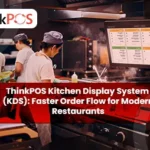
ThinkPOS KDS is a real-time digital display system that shows orders directly in the kitchen as soon as they are placed from the POS. It replaces physical order slips and helps kitchen staff see, manage, and complete orders more efficiently.
It supports multiple sections, such as:
- Main Kitchen
- Juice / Beverage Counter
- Grill/Fry Station
- Bakery / Dessert Counter
How ThinkPOS KDS Improves Order Flow
Instant Order Updates
As soon as the captain/cashier enters an order on ThinkPOS:
- It appears immediately on the kitchen screen
- No delay, no missed orders, no confusion
This drastically reduces wait time.
Better Coordination Between Teams
Each department sees only its assigned items.
Example:
- Grill counter sees grill items
- Juice counter sees beverages
- The main kitchen serves meals
This ensures:
- Faster preparation
- Zero mix-ups
- Smooth teamwork
Real-Time Status Tracking
Kitchen staff can update order progress:
- Accepted
- In Progress
- Ready
The front desk can instantly see the status, helping them:
- Inform customers correctly
- Avoid unnecessary follow-up
- Serve food at the right time
Reduced Manual Errors
Traditional chit systems can lead to:
- Lost paper slips
- Smudged/stuck bills
- Illegible handwriting
- Wrong sequence
ThinkPOS KDS eliminates all of this with clear digital order details.
Faster Order Delivery
With KDS:
- Orders are prepared in sequence
- No order is skipped
- High-priority items can be highlighted
- Faster table turnover
This leads to better customer satisfaction and more revenue.
Less Paper, More Efficiency
By moving to KDS:
- Save on paper rolls
- Reduce printer maintenance
- Lower recurring cost
Eco-friendly + cost-effective.
Advanced Features of ThinkPOS KDS
- Color-coded order statuses
- Time tracking (alerts when order is delayed)
- Multiple kitchen counters
- Easy-to-read large display
- Touch-friendly interface
- Auto-remove completed orders
- Supports dine-in, takeaway & delivery orders
Business Benefits with ThinkPOS KDS
| Benefit | Impact |
|---|---|
| Faster order flow | Reduced waiting time |
| Organized kitchen | Smooth communication |
| Fewer errors | Accurate orders |
| Higher customer satisfaction | Better reviews |
| Increased table turnover | More revenue |
| Better staff productivity | Less stress |
Who Should Use ThinkPOS KDS?
Perfect for:
- Restaurants
- Cafés
- QSRs
- Bakeries
- Food courts
- Juice shops
- Multi-counter kitchens
Whether you run a single outlet or multiple branches, ThinkPOS KDS helps maintain speed and consistency.
Conclusion
The ThinkPOS Kitchen Display System is more than just a digital screen — it’s a powerful tool that connects your restaurant’s front desk with the kitchen in real time. By speeding up order flow, reducing errors, and improving communication, ThinkPOS KDS helps deliver a smoother, faster, and more professional dining experience.
06
November
2025
Table of Contents
What is ThinkPOS KDS?
How ThinkPOS KDS Improves Order Flow
Advanced Features of ThinkPOS KDS
Business Benefits with ThinkPOS KDS
Who Should Use ThinkPOS KDS?
Conclusion